/02EngineeringOpen source
GitDesk
An open-source Git desktop client, an alternative to GitKraken.
Context
GitDesk is a free, open-source desktop Git client for Windows, macOS and Linux, developed and published under the MIT license.
Problem
Keeping track of a development team’s work is complex, and more so in the age of agentic development: coding agents cut delivery times significantly and multiply the branches moving in parallel. Knowing where a product is heading, which features are in progress, who works on them and at what pace means piecing together information scattered across several repositories, terminals and code-hosting sites.
Solution
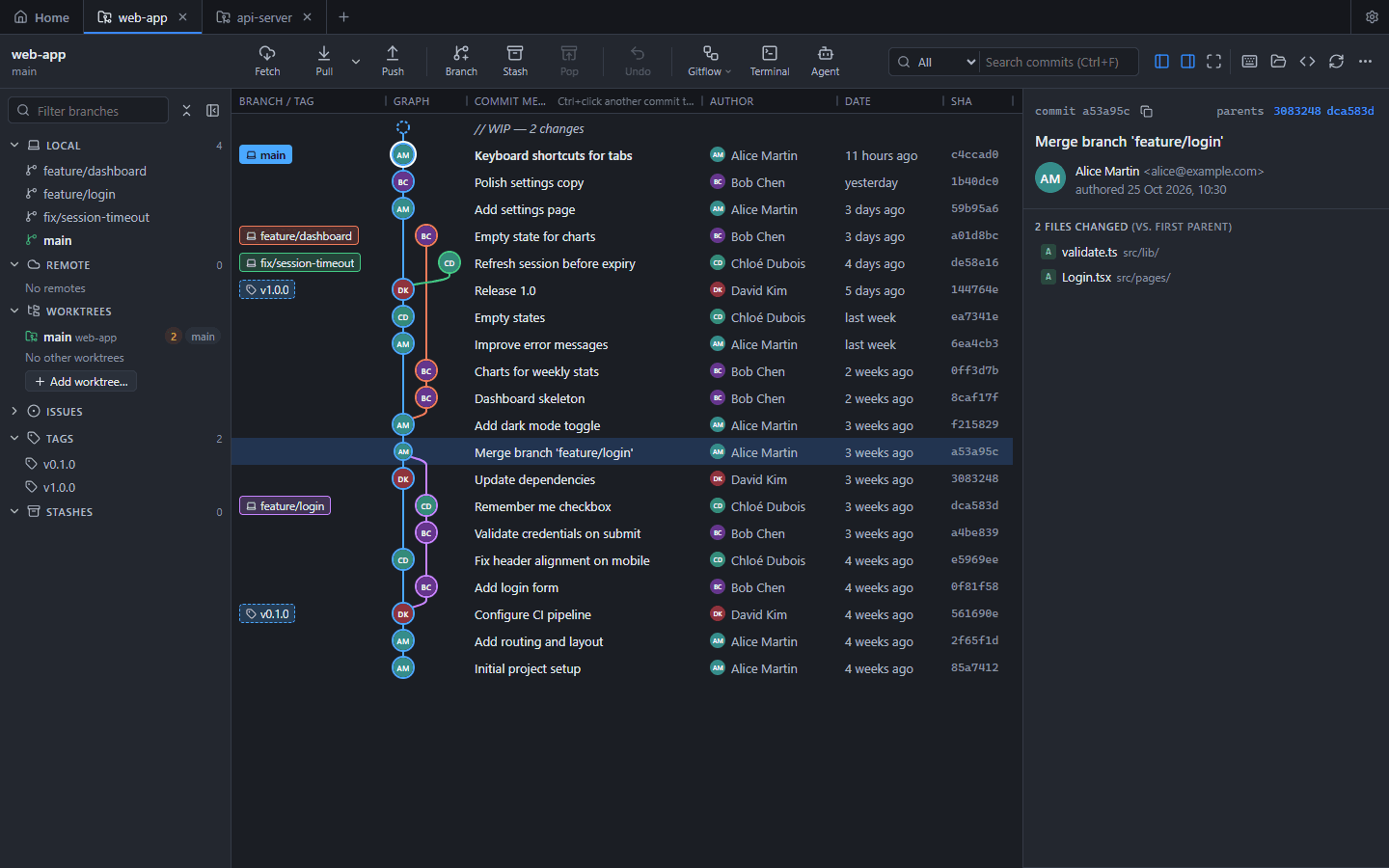
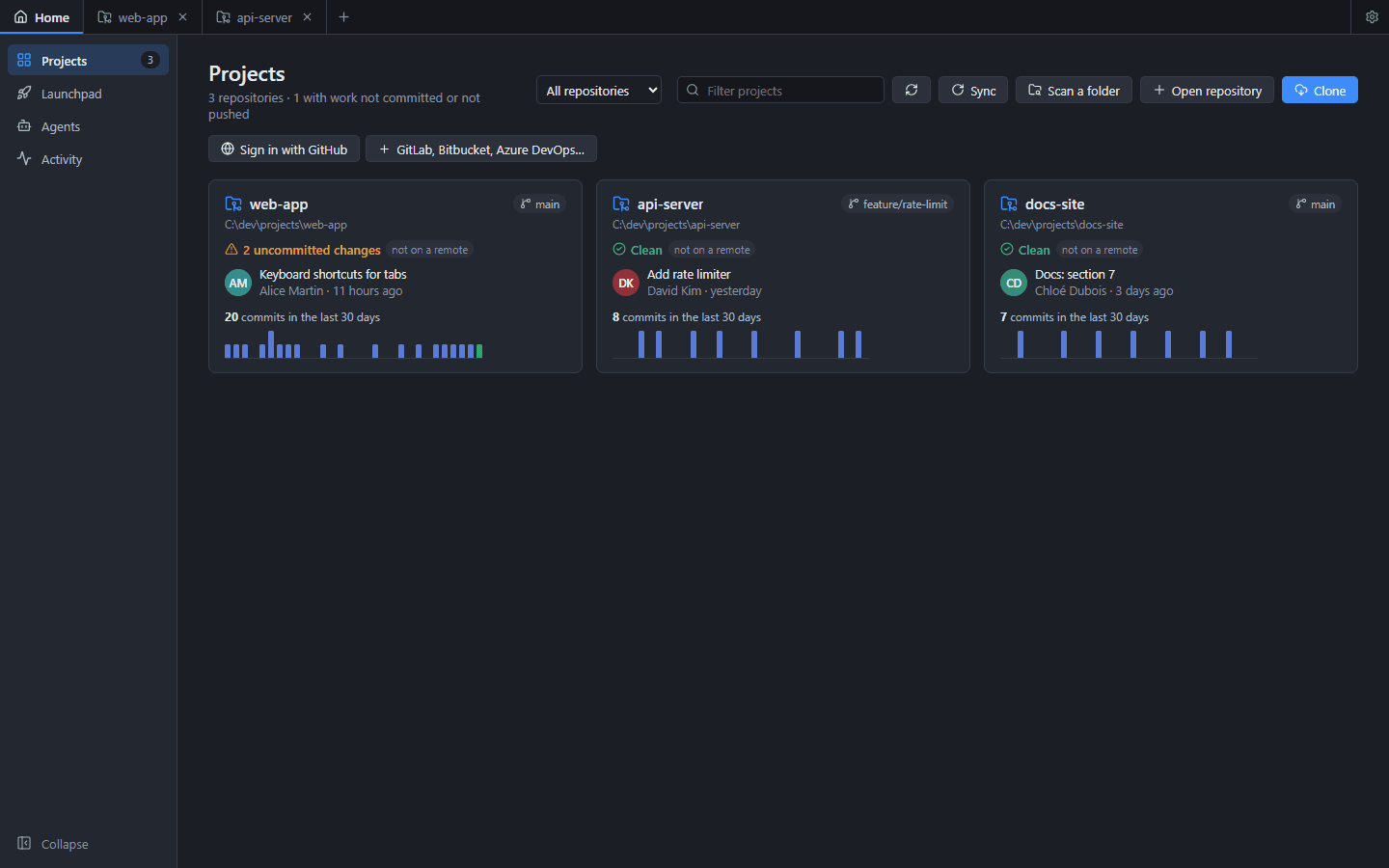
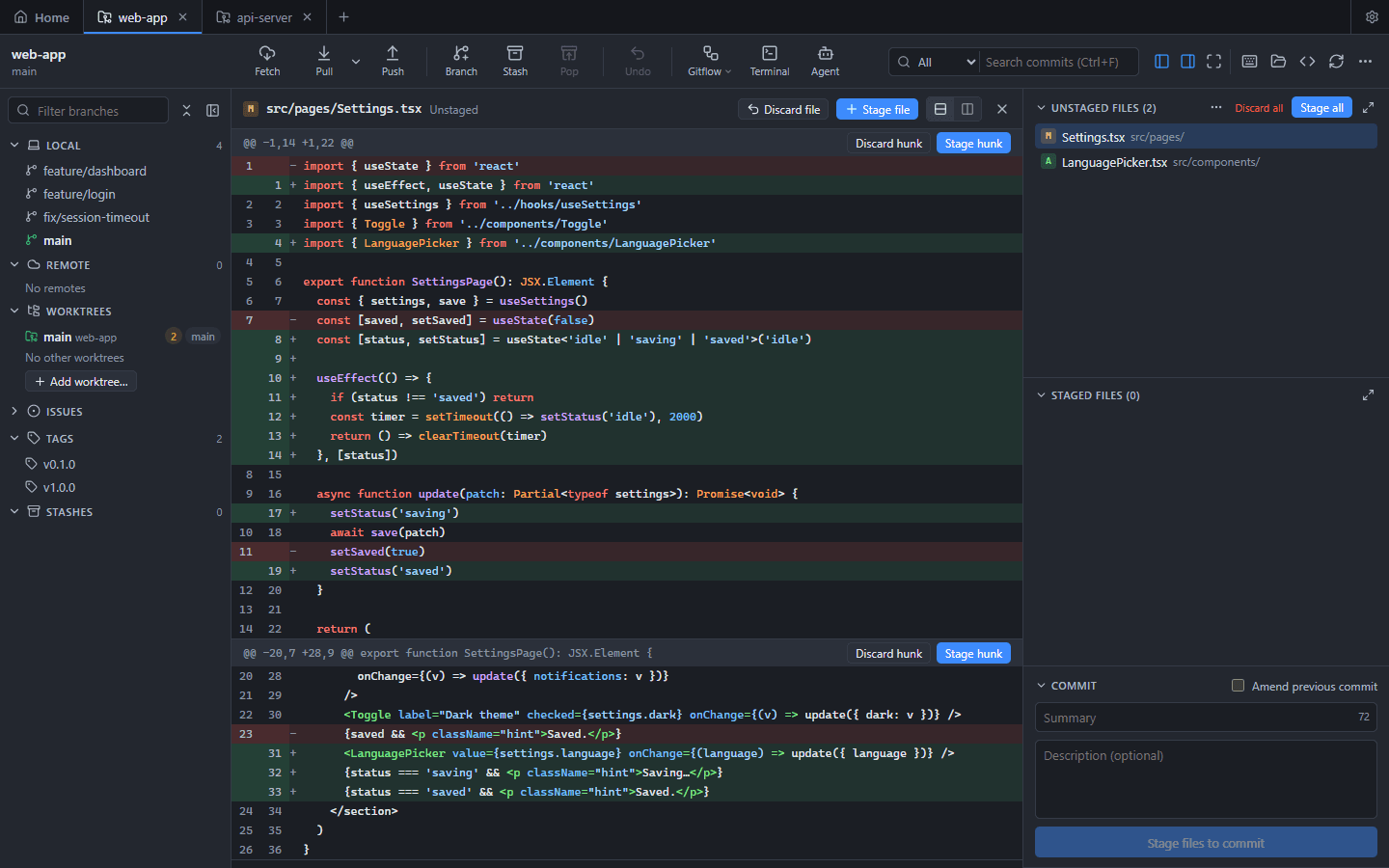
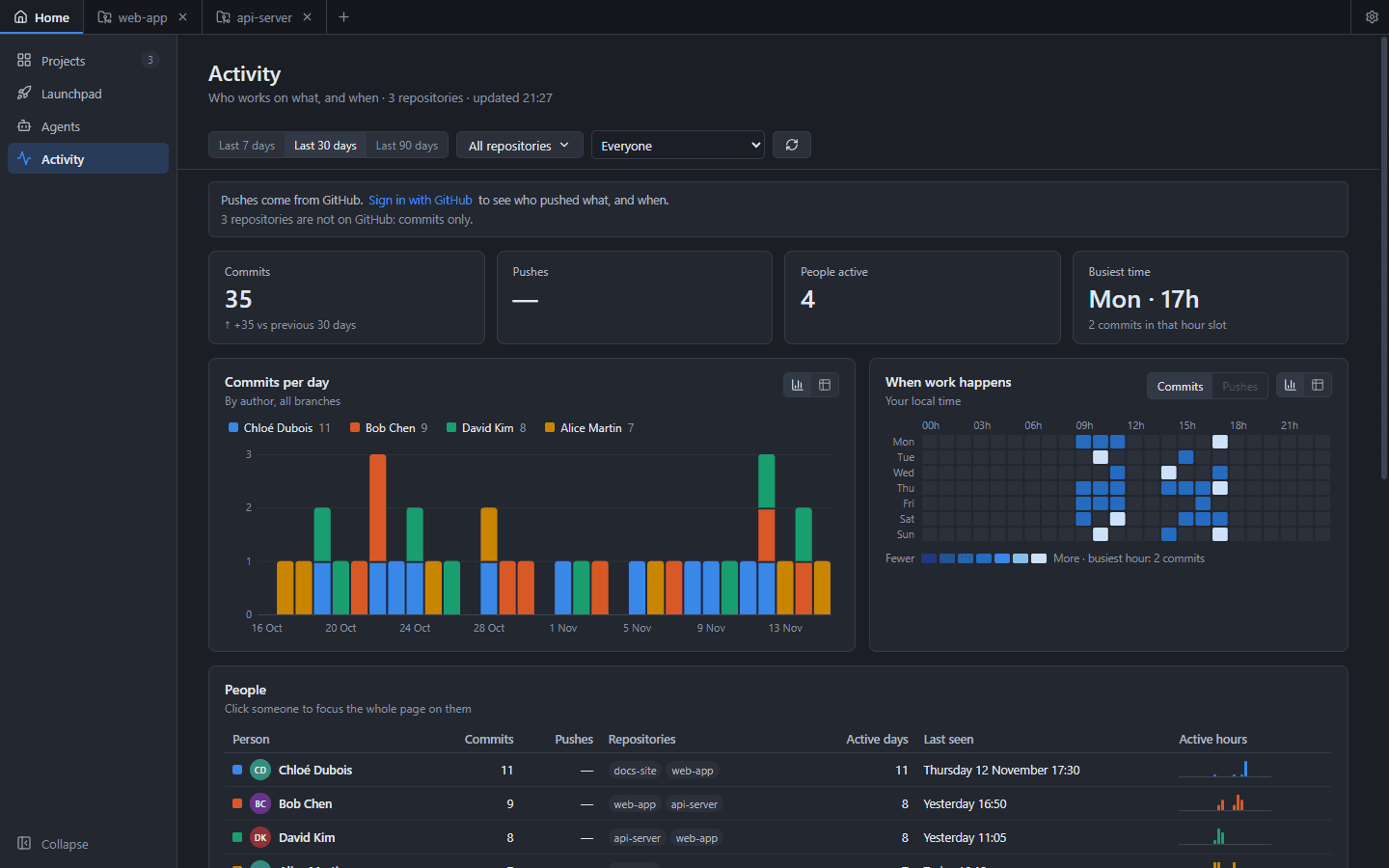
GitDesk brings a team’s repositories together in one application, where their activity can be seen and tracked. A dashboard gives the state of every project, a graph traces the progress of every branch, and an activity page shows who contributes, at what pace and when. Pull requests (GitHub, GitLab, Bitbucket, Azure DevOps) and issues (GitHub, GitLab, Jira, Linear) are gathered on one page.
GitDesk also puts AI agents to work autonomously, each on its own branch: Claude Code, Codex, Gemini CLI, Copilot CLI or OpenCode move forward in parallel without getting in each other’s way. The team follows their work live and merges only what it approves.
Results
GitDesk 1.0.0 shipped on 17 November 2026, with installers for Windows, macOS and Linux.
Live on GitHub
- Stars
- 0
- Forks
- 0
- Last commit
- Nov 17, 2026
From the GitHub API, refreshed at most once an hour.View the repository